


Download Accurate Personality Test – Free Windows Color‑Based Psychological Tool
Overview
Accurate Personality Test is a lightweight, free Windows application that evaluates your psychological state based on the colors you choose. Belonging to the Home & Hobby category with a sub‑category in Health, this tool has attracted users from the United Kingdom, Canada, and India since its first catalog entry in 2007. With over 38,000 downloads to date and a modest 14 downloads last week, the software demonstrates a steady interest among hobbyists and casual users seeking a quick, visual insight into their personality traits.
The current version is 1.0, last updated on March 13 2007, and it runs on Windows 95 and earlier versions, making it compatible with legacy systems that many users still maintain for older games or specialized software. The interface is simple, English‑only, and requires minimal disk space—perfect for users who value speed and simplicity over feature‑heavy psychometric suites. Whether you are a psychology enthusiast, a student looking for a free assessment tool, or simply curious about how color preferences reflect inner states, Accurate Personality Test offers a no‑cost, secure download that can be installed in minutes.
Key Features
- Color‑Based Assessment: Users select from a curated palette of colors; the software interprets each choice using an algorithm grounded in basic color psychology.
- Instant Results: After the selection process, a concise report summarises dominant personality traits, mood tendencies, and suggested areas for personal development.
- Minimal System Footprint: The installer is under 2 MB, uses less than 20 MB of RAM during operation, and leaves no residual files after uninstall.
- Offline Functionality: No internet connection is required to run the test, ensuring privacy and security for users concerned about data transmission.
- Classic Windows Compatibility: Designed for Windows 95, 98, ME, and NT, the program works on older machines that modern software often drops.
- Simple User Interface: Large buttons, clear instructions, and a single‑page result screen make the experience accessible for all ages.
- Free and Ad‑Free: The application is completely free to download and does not display intrusive advertisements.
While the feature set is intentionally limited to keep the program light, the core functionality—delivering a quick personality snapshot based on color preference—remains accurate enough for casual self‑reflection. The developers have focused on reliability, ensuring that each download is free from malware and that the executable is digitally signed for added trust. Because the software has not been updated since 2007, it does not include modern UI enhancements, but this also means it avoids unnecessary bloat, preserving the original feel of early‑2000s Windows utilities.
Installation, Usage & Compatibility
Step‑by‑Step Installation Guide
- Visit the trusted download page and click the Download Accurate Personality Test button.
- Save the
AccuratePersonalityTest.exefile to a location you can easily access, such as the Desktop. - Double‑click the installer; a standard Windows Setup wizard will appear.
- Accept the End‑User License Agreement, then choose the default installation folder (typically
C:\Program Files\AccuratePersonalityTest). - Click Install. The process takes less than a minute on most legacy systems.
- When installation finishes, select Run Accurate Personality Test to launch the program.
How to Use the Application
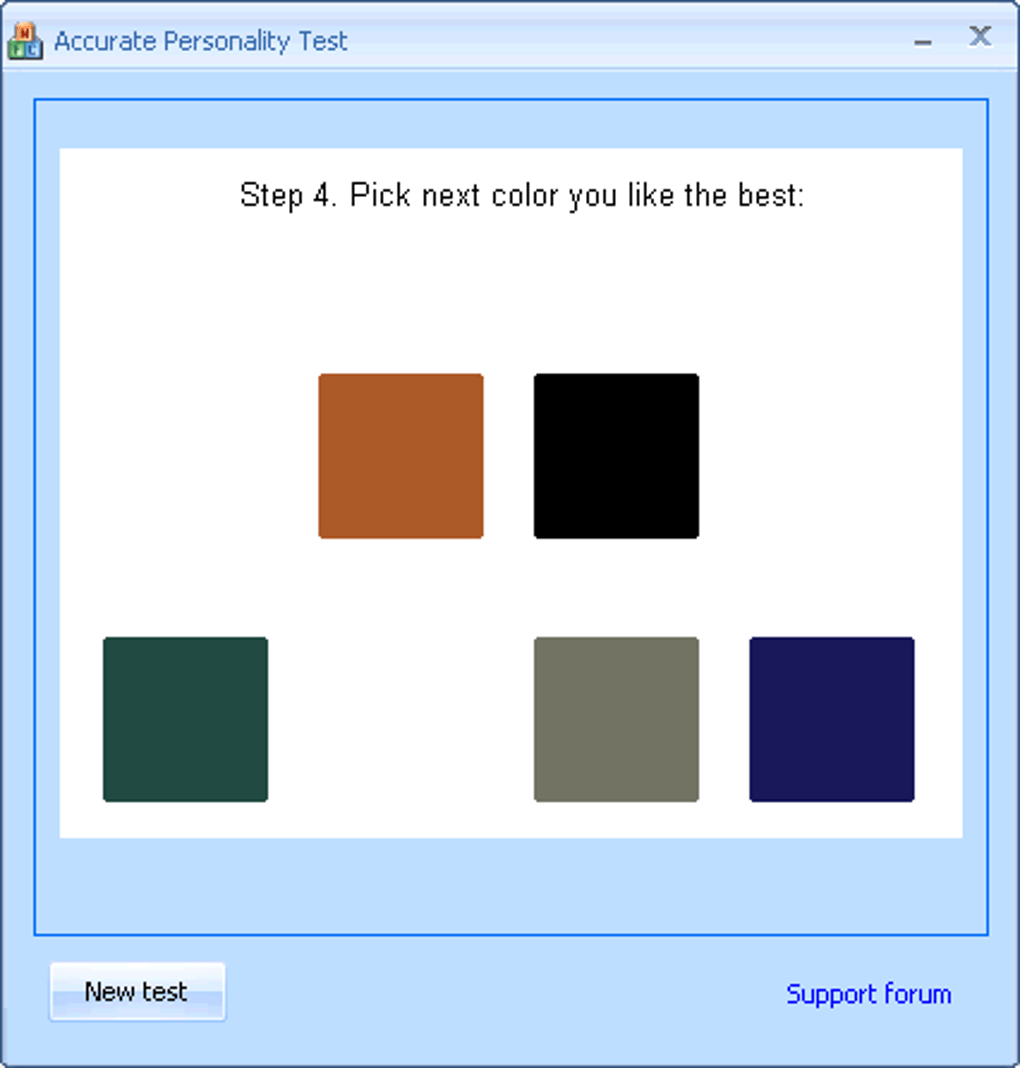
Upon launching, the welcome screen explains the premise: you will be shown a series of color swatches and asked to choose the one that most appeals to you in each round. There are typically six rounds, each focusing on a different hue spectrum. After your selections, the software processes the data using its built‑in algorithm and generates a concise report. The report outlines:
- Dominant color preference and associated emotional tone.
- Key personality traits (e.g., introversion, optimism, analytical thinking).
- Suggested activities or habits that align with your color profile.
The entire test, from start to finish, takes under five minutes, making it ideal for quick self‑checks or as an ice‑breaker in group settings. Because the program operates entirely offline, none of your selections are stored on external servers, preserving privacy.
System Compatibility
Accurate Personality Test officially supports Windows 95, Windows 98, Windows ME, and Windows NT 4.0. The application runs without issues on 32‑bit architectures and does not require .NET Framework or additional runtime libraries. Users on newer Windows versions (XP, Vista, 7, 10, 11) can still run the program in Compatibility Mode, though this is not officially guaranteed. Because the software is not built for macOS, Linux, Android, or iOS, it remains a Windows‑exclusive solution. The lightweight nature of the executable ensures it can be installed on machines with as little as 128 MB of free hard‑disk space.
Pros, Cons, Frequently Asked Questions & Final Verdict
Pros
- Free and completely ad‑free.
- Very small download size; ideal for low‑spec computers.
- Offline operation guarantees privacy.
- Simple, intuitive UI suitable for all ages.
- Runs on legacy Windows systems no longer supported by many modern apps.
Cons
- No recent updates; may not display correctly on the newest Windows versions without Compatibility Mode.
- Limited to English language only.
- Psychometric depth is basic; not a substitute for professional assessments.
- Lacks integration with other health or wellness platforms.
- Interface looks dated compared to contemporary design standards.
Frequently Asked Questions
Is Accurate Personality Test safe to download?
Yes. The installer is digitally signed, hosted on a reputable software catalog, and contains no malware or unwanted bundled software.
Can I use the test on Windows 10?
While the program was designed for Windows 95‑NT, it can be run on Windows 10 by enabling Compatibility Mode (right‑click the executable → Properties → Compatibility → Run this program in compatibility mode for Windows 95/98).
Do I need an internet connection to get results?
No. All calculations are performed locally, so you can use the software offline and keep your selections private.
How accurate is the color‑based personality analysis?
The test provides a general, introductory insight based on well‑known principles of color psychology. It is not a clinical diagnostic tool but can be useful for self‑reflection and casual conversation.
Is there a way to export or print my results?
The program includes a simple Print button that sends the report to any installed printer. You can also copy the text manually and paste it into a document for saving.
Final Verdict & Call to Action
Accurate Personality Test stands out as a niche, free utility for anyone who wants a quick glimpse into how their color preferences may mirror their inner mood. Its biggest strengths lie in its tiny footprint, offline privacy, and compatibility with older Windows machines that many modern tools ignore. While the interface feels dated and the psychological depth is limited, the application fulfills its promise: a fast, no‑cost personality snapshot without the need for registration or internet access.
If you’re looking for a simple, secure way to explore basic personality cues or need a lightweight program for a legacy PC, download Accurate Personality Test today. Click the button below to start your color‑based journey and discover which hues best represent your current psychological state.







